Free forever, unlimited plans

Free Floor Plan Software — Unlimited Plans, No Watermark

Ritn3D's floor plan editor is genuinely free forever - draw as many plans as you want, export as many PNGs and PDFs as you want, no watermark on the drawing, no design cap, no forced trial. Open app.ritn3d.com/app/dashboard in any browser and start drawing walls, rooms, doors, and windows in seconds. Optional: convert your finished plan into an interactive 3D model with our AI (three free 3D conversions per month; the drawing itself stays unlimited on any plan). No competitor at this price point is honest about "free" - Planner 5D's free tier is unlimited projects but watermarks every render and only unlocks about half of the catalog, RoomSketcher Free is a 10-project archive with watermarked snapshots and $38/level to export floor plans, SmartDraw is a 7-day paid trial only, and Sweet Home 3D is a GPL open-source app whose desktop and browser versions are free but dated, with paid iOS and Android apps. Ritn3D runs in your browser on any device and saves your work automatically to your account.

How It Works

Draw a full floor plan in three steps — free forever

  1. Step · 1

    Open the editor

    Go to app.ritn3d.com/app/dashboard in any modern browser — Chrome, Safari, Firefox, or Edge on desktop, tablet or phone. Sign in with Google or email in seconds — no card, no phone number.

  2. Step · 2

    Draw your floor plan

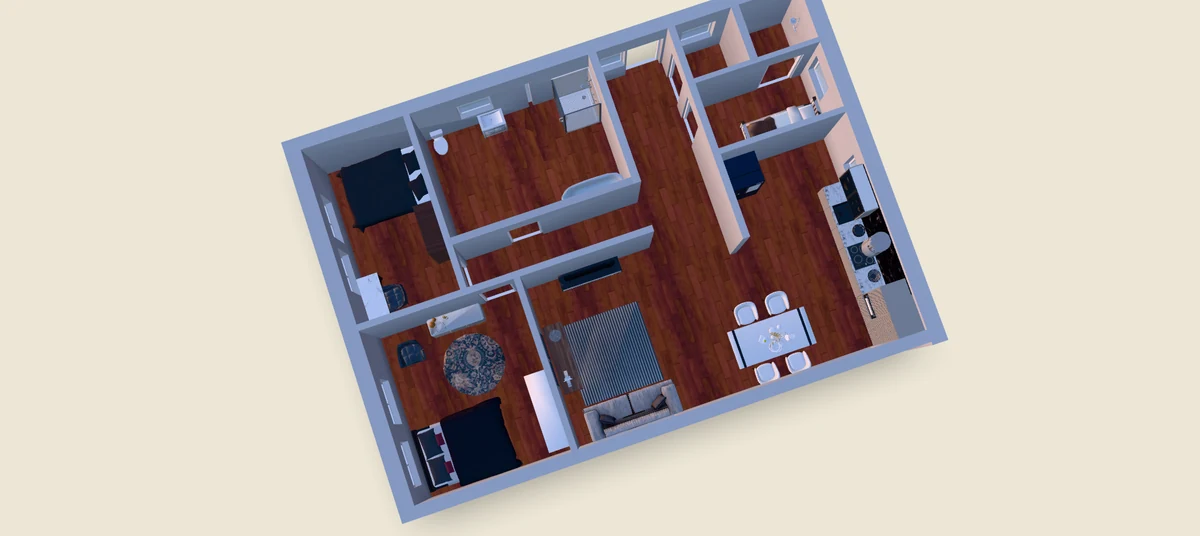
    Click or tap to place walls, drag to shape rooms, drop in doors and windows from the toolbar. Auto room detection labels each enclosed area (bedroom, bathroom, kitchen) as you draw. Undo, redo, and auto-save are built in.

  3. Step · 3

    Download the PNG or PDF

    Export your plan as a high-resolution PNG or PDF at any time - no watermark, no export limit. Use it for renovation planning, listings, contractor briefs, or as a tracing base for a more detailed drawing later.

What Free Actually Means

Unlimited plans, no watermark, no forced upgrade

Truly Unlimited Plans

Draw as many floor plans as you want, save as many as you want, come back and edit any of them. No watermark on every render like Planner 5D's free tier, no per-project pricing, no daily quota. The editor is subsidised by the optional Pro tier so casual and professional users alike can plan freely.

No Watermark on Exports

Export PNGs and PDFs without a Ritn3D watermark burnt into the corner. Unlike RoomSketcher's free tier - which stamps a watermark on 3D snapshots and charges $38/level to export floor plans - Ritn3D's editor produces clean images you can hand a contractor, drop into a listing, or print at scale without editing the file first.

Runs in Any Browser

The editor runs in your browser on desktop, laptop, tablet, and phone. Nothing to install, nothing to update, no OS lock-in. This is the main reason people prefer it to Sweet Home 3D - Sweet Home's desktop and browser versions are free but the UI is dated, and its official iOS and Android apps are paid, whereas Ritn3D's phone apps are free.

Auto-Save Drafts

Every change auto-saves as a draft on your device. Resume where you left off when you come back to the editor. Cross-device sync is a Pro feature (90-day cloud sync); on the free tier, drafts stay on the device you drew them on.

Optional AI 3D Conversion

When your plan is done, convert it to an interactive 3D model with one click. The drawing tool is free forever; 3D conversions are three per month on the free tier, 20/mo on Pro ($9.99), and 40/mo on Pro+ ($19.99). The 3D is optional — the drawing tool alone is a full product.

Privacy-Respecting

Your plans stay in your Ritn3D account. We don't sell them, we don't repackage them into a public listings gallery, and we don't require a phone number to sign up. Google or email sign-in only — no verification wall, no card.

FAQ

Frequently Asked Questions

Everything you need to know. Can’t find the answer you’re looking for? Feel free to reach out.

Yes, and unlimited. The editor is free forever - draw as many plans as you want, save as many as you want, come back and edit any of them at no cost. Sign-in with Google or email is required to access the editor and save your work — no card, no phone number, takes about 10 seconds. This is different from a 7-day trial (SmartDraw's model) and different from a watermarked free tier (Planner 5D free is unlimited projects but every render is watermarked and low-res). Ritn3D's drawing tool has no design cap, no export cap, and no watermark on PNG or PDF exports. Optional AI 3D conversion has a monthly quota (3/month free, 20/month Pro at $9.99, 40/month Pro+ at $19.99), but you never need to convert your plan to 3D - the editor and PNG/PDF exports are enough for most renovation, listing, and contractor use cases.

No. PNG and PDF exports from the editor are clean - no Ritn3D logo in the corner, no diagonal watermark, no forced attribution. This is a deliberate contrast with RoomSketcher's free tier, which stamps a watermark on 3D snapshots and charges $38/level to export floor plans, and with SmartDraw, which is fully paid. Free tier 3D renders (if you convert your plan to 3D) do display a small Ritn3D watermark in the interactive viewer's UI, but even that is not on the geometry itself, and it's removed on the Pro tier ($9.99/month). For the drawing/PNG/PDF workflow specifically, exports are unbranded on any plan including free.

PNG and PDF at your chosen resolution - up to 4K on any plan. The export captures the full floor plan with walls, rooms, room labels, doors, windows, and dimensions if you've turned dimensions on. Suitable for renovation briefs, listing images, contractor handoffs, tracing bases for detailed CAD work, or hobbyist print-outs. If you want SVG (vector) or STL (planned Q4 2026), those are on the roadmap. If you want the 3D model as GLB/STL, those are on the Pro+ tier. The PNG/PDF export alone covers the majority of use cases people need a floor plan file for.

Yes — sign in with Google or email to open the editor. It takes about 10 seconds, no card, no phone number, no email verification wall. Signing in also syncs your plans across phone, tablet, and browser automatically. The drawing tool itself remains free forever with unlimited plans and unwatermarked PNG/PDF exports.

Three main differences. First, watermark: Planner 5D free stamps a watermark on every render; Ritn3D's PNG and PDF exports are clean. Second, catalog access: Planner 5D free unlocks only about half of their furniture and material catalog; Ritn3D's editor doesn't gate any drawing features. Third, upsell surface: Planner 5D uses the watermark and catalog gate as the primary path to their $4.99/month (or $59.99/year) upgrade; Ritn3D charges only for the optional AI 3D conversion at higher volumes (Pro $9.99/mo for 20 renders + walkthrough + furniture; Pro+ $19.99/mo for 40 renders + downloads). The drawing tool itself is free either way, so if you only need floor plans (not 3D), you never need to pay us anything.

Yes. Anything you draw in the editor is yours — use it in a real estate listing, a renovation contract, a contractor bid, a rental brochure, an insurance claim, a legal filing, or any other commercial context. Ritn3D doesn't take a licence in your work, doesn't add attribution requirements, and doesn't restrict commercial use based on tier. The editor is free forever including for commercial use, which is the most common request from realtors and small contractors who tried it initially for personal use.

Partially. The editor is a browser-based web app, so an initial load requires an internet connection. Once loaded, drawing, editing, and PNG export continue to work if your connection drops mid-session — changes are queued to sync when you reconnect. For fully offline use (e.g. at a property with no signal), the iOS and Android apps are the more reliable option, since they cache the editor code locally and sync when you're back online. On the web, we recommend loading the editor before you go on-site if signal at the location is uncertain.

Yes. Plans saved to your Ritn3D account are private by default and only visible to you unless you explicitly generate a share link. We don't publish user plans to a public gallery (Planner 5D does this by default), we don't sell your data to third parties, and we don't use your plans to train any AI model without explicit opt-in. If you delete a plan from your account, it's removed from our servers within 30 days. See our privacy policy for the full data-handling details.

Next step

Start drawing for free — no card, no cap

Open the editor in your browser and draw your first floor plan in minutes. Free forever, no watermark on exports.